CRM 2.0:
Smarter Relationship Management
Redesigned how teams organize and engage with their contacts, automating manual work and helping teams stay connected and ready when opportunities arise.
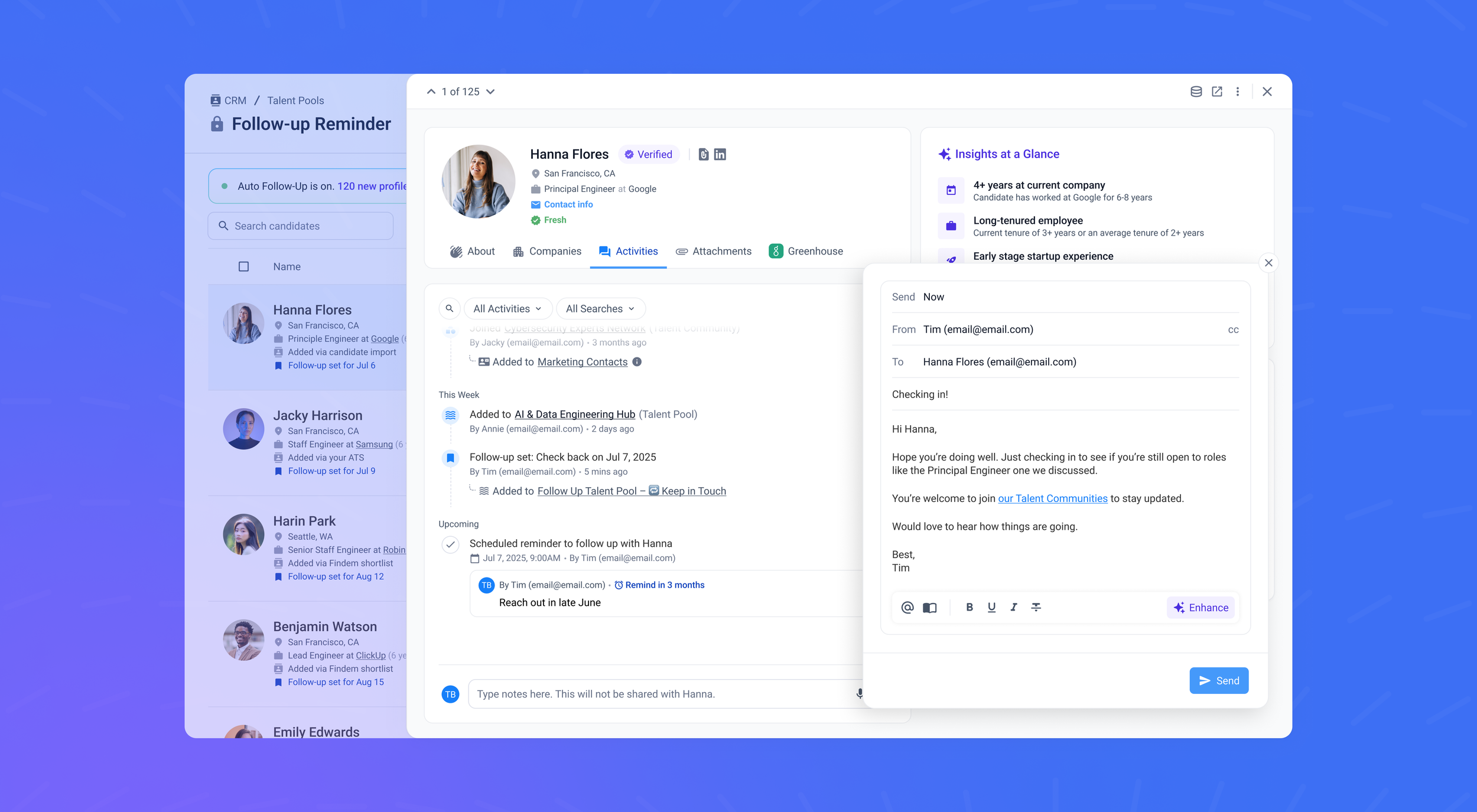
Rethinking how teams manage key relationships
Teams were losing track of warm contacts because their CRM required too much manual upkeep. We redesigned it to remove that friction.
Teams can now organize contacts more clearly, keep their information up-to-date automatically, and send more targeted messages without the extra work.
I led design from early concept to launch, working closely with Product, Engineering, and Consultants to turn user feedback into meaningful improvements. I also collaborated with Marketing and Customer Support to align the experience with business goals.
A more connected,
less manual experience
In May 2025, we launched CRM 2.0 to help teams build stronger relationships and stay ready when needs shift.
17% faster time to outreach
Teams were able to act more quickly, thanks to a more streamlined, always-on CRM.
41% more first interested responses
Proactive engagement resulted in a 41% increase in first positive responses.
80% higher reply rates from warm contacts
By keeping data fresh and relationships active, reply rates from warm contacts rose by 80%.
Why we started
Most teams only start reaching out when they immediately need something. They don't build relationships ahead of time. This leaves teams scrambling when needs arise, and contacts feeling disconnected.
We saw an opportunity to make the CRM more proactive. Instead of starting from scratch every time, teams could stay connected with key contacts, keep data up-to-date, reduce manual work, and be ready when opportunities arise.
We also had a unique opportunity to use AI. AI could filter contacts and detect when someone might be open to a conversation, supporting more timely outreach without adding extra work.
Problem
The existing CRM made it difficult and manual to keep relationships warm and ready.
Organization didn't match how teams work
CRM 1.0 only had one way to organize contacts. Teams needed a separate way to manage people they'd already qualified for specific goals. Without clear structure, it was hard to know who to reach out to.Everything required manual effort
Building warm pipelines meant manually adding contacts, updating information, and tracking engagement. Every new need felt like starting over.Staying in touch relied on memory
Teams had to remember to follow up. Follow-ups were inconsistent, relationships cooled off, and by the time an opportunity opened, contacts might have moved on.Outreach reached the wrong people
Bulk campaigns often went to contacts who weren't a good fit anymore. Teams needed better control so outreach stayed relevant.
These friction points meant warm pipelines went cold and teams had to start fresh instead of moving quickly with people they'd already connected with.
Goals
We needed to design a CRM that supports how teams actually work: building stronger relationships through less manual effort and more meaningful engagement, so teams can move faster when needs arise.
Design goal
Reduce manual tasks, enable ongoing personalized engagement, and build stronger relationships. The focus was on maintaining warm pipelines that are ready and adaptable to changing needs.
Business goal
Shift the CRM from a passive database to an active relationship engine.
Research & insights
To validate these pain points and understand how to address them, we spoke with over 30 users across 10+ companies and reviewed feature request tickets and product usage data.
What we heard:
"I've got hundreds of people in my CRM, but when a role opens, I don't know who to reach out to first. They're all just in one big list. I need a way to organize them by role type or who's actually qualified."
"I spend so much time manually adding people and categorizing them, trying to mark who would be good to reach out to when I need them."
"When I send campaigns, they go to my entire community. But not everyone's relevant for every role. I need better filters so I'm only reaching out to people who actually match."
Key patterns:
Users needed separate organizational structures for opt-in communities versus actively managed contact pools
Manual tracking and follow-ups were the biggest time drains, with users spending 60% of their time on administrative tasks
Users needed precision targeting for campaigns, not just bulk outreach
Design approach
To address these challenges, we focused on three priorities: clearer organization, reducing manual work, and enabling more precise engagement.
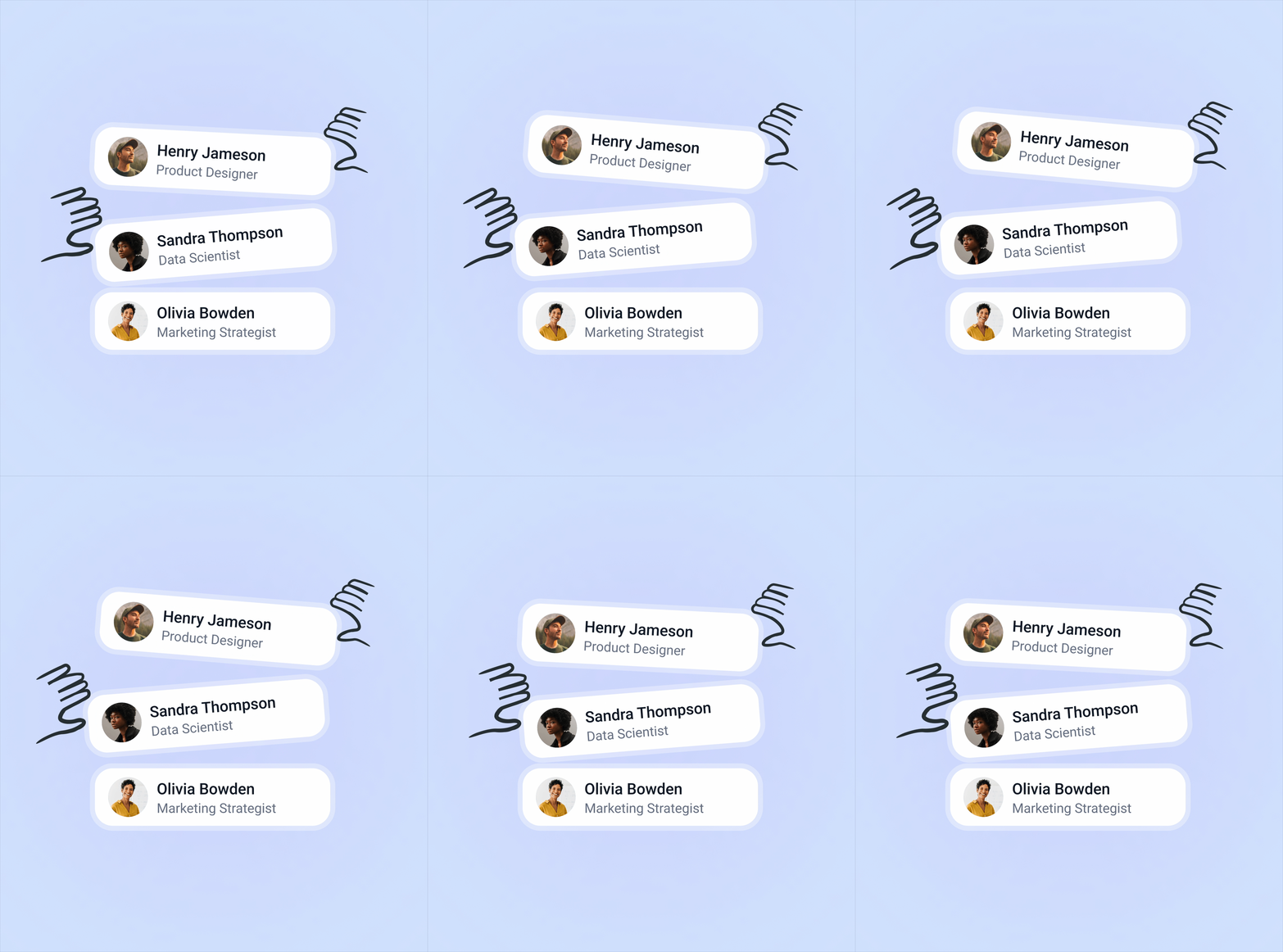
Organizing contacts by type and stage
We introduced two distinct structures to match how users actually think about their contacts. One for contacts they are actively managing for specific goals. One for broader audiences, they want to stay connected with over time. This gave users clarity about who to reach out to and when.
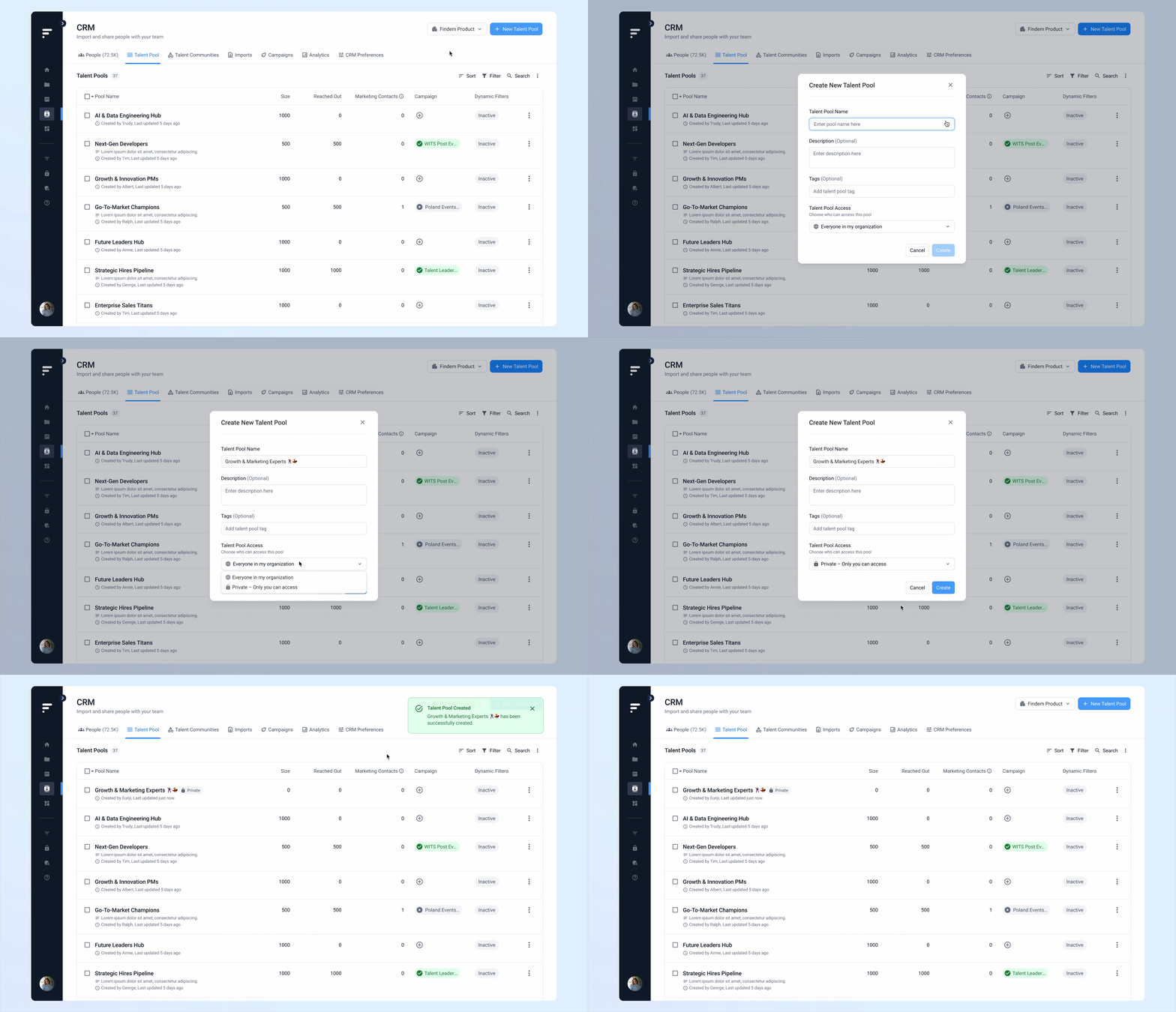
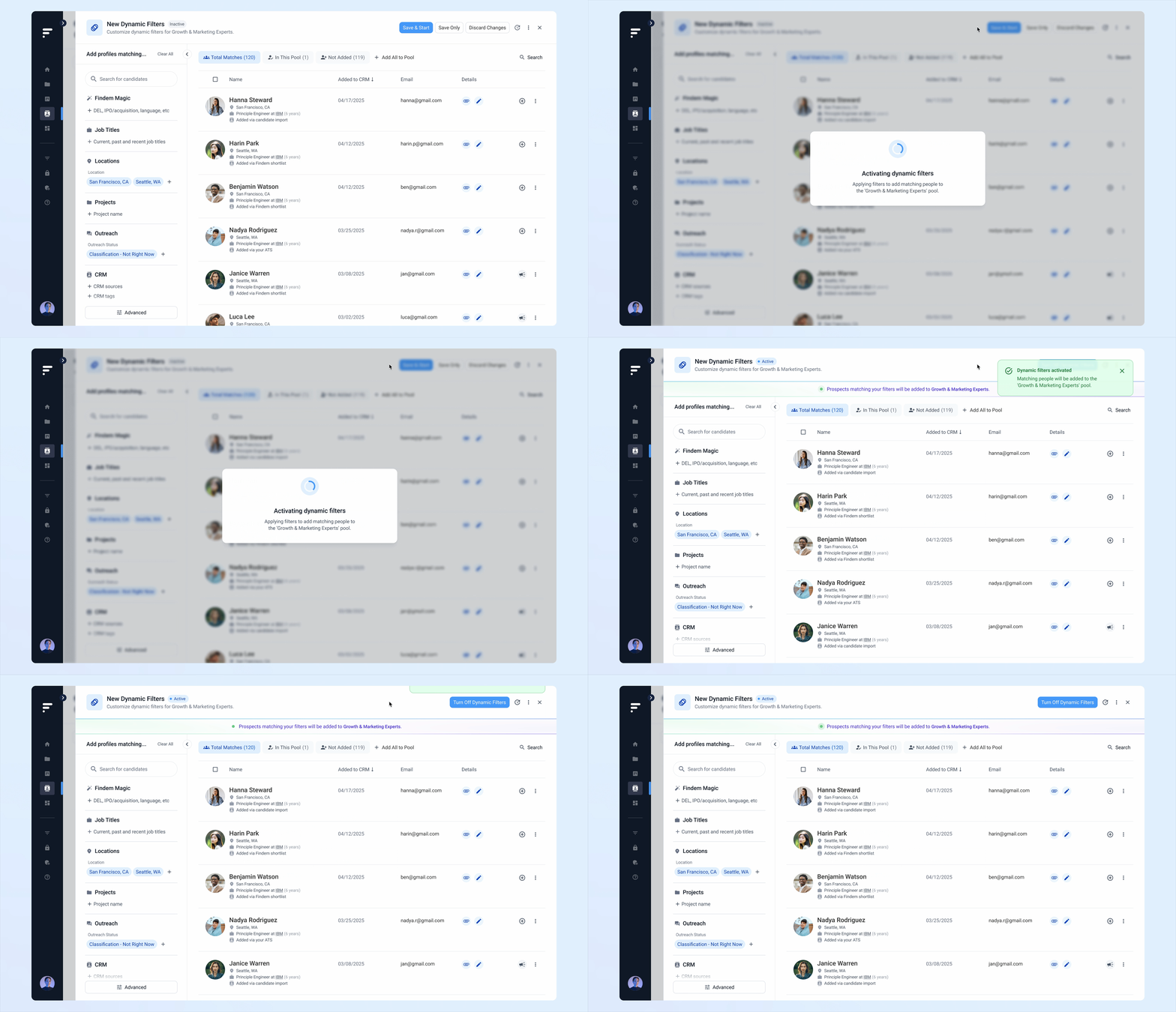
Keeping lists up-to-date automatically
We made contact pools automatically populate and stay up-to-date based on search criteria.
For example, if a user is looking for senior product managers in the Bay Area, they can create a pool with those filters. As new contacts matching those criteria are added or their profiles are updated, they automatically appear in the pool.
This meant users could spend less time managing lists and more time connecting with people.
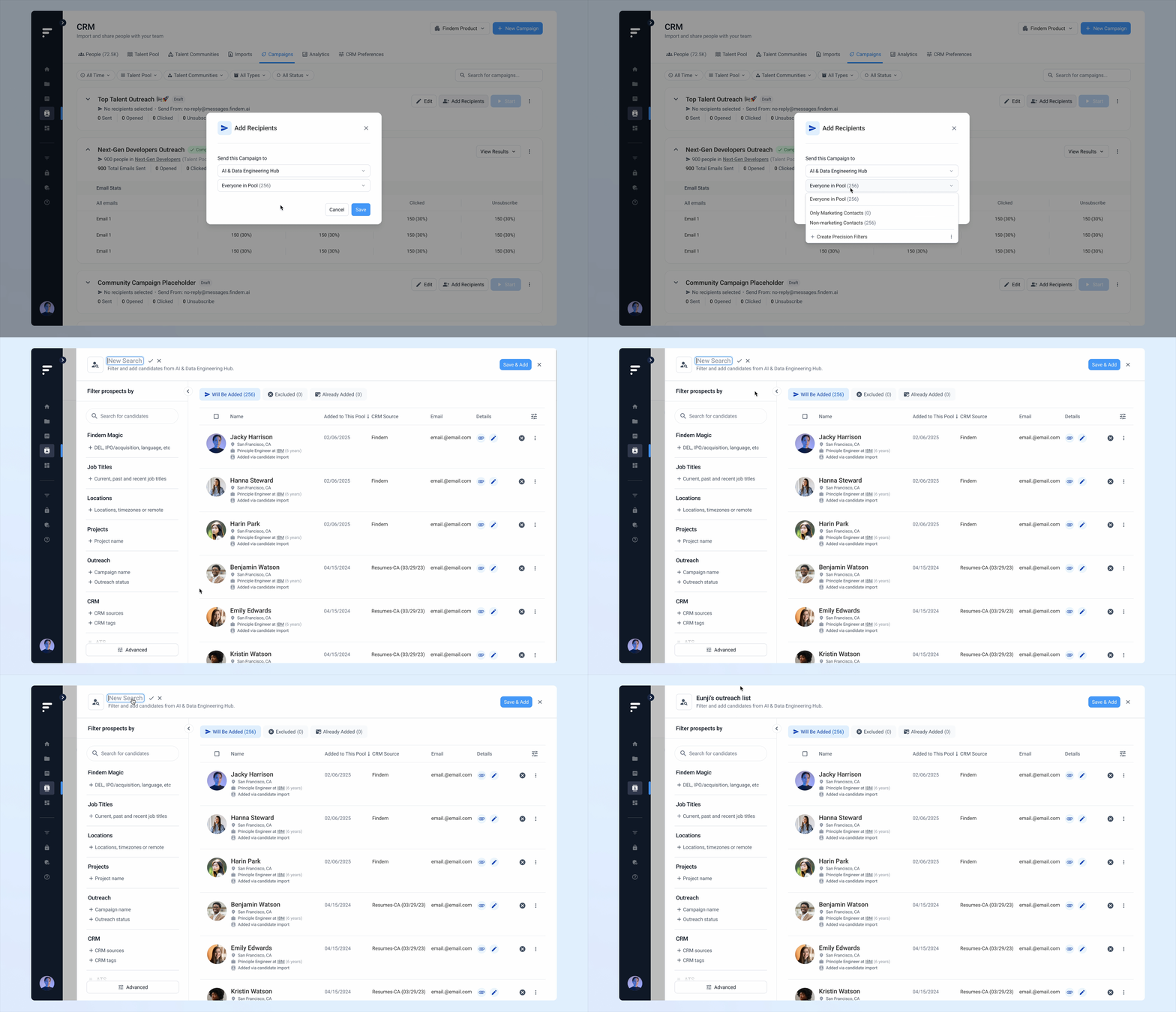
Targeting the right people at scale
We added precision filters so users can control exactly who receives each campaign. Users can apply filters within a pool or community based on location, experience level, activity status, and more.
These filters can be saved and reused. When new contacts match the criteria, they're automatically included in future campaigns, keeping outreach relevant without extra work.
Automating follow-ups to stay connected
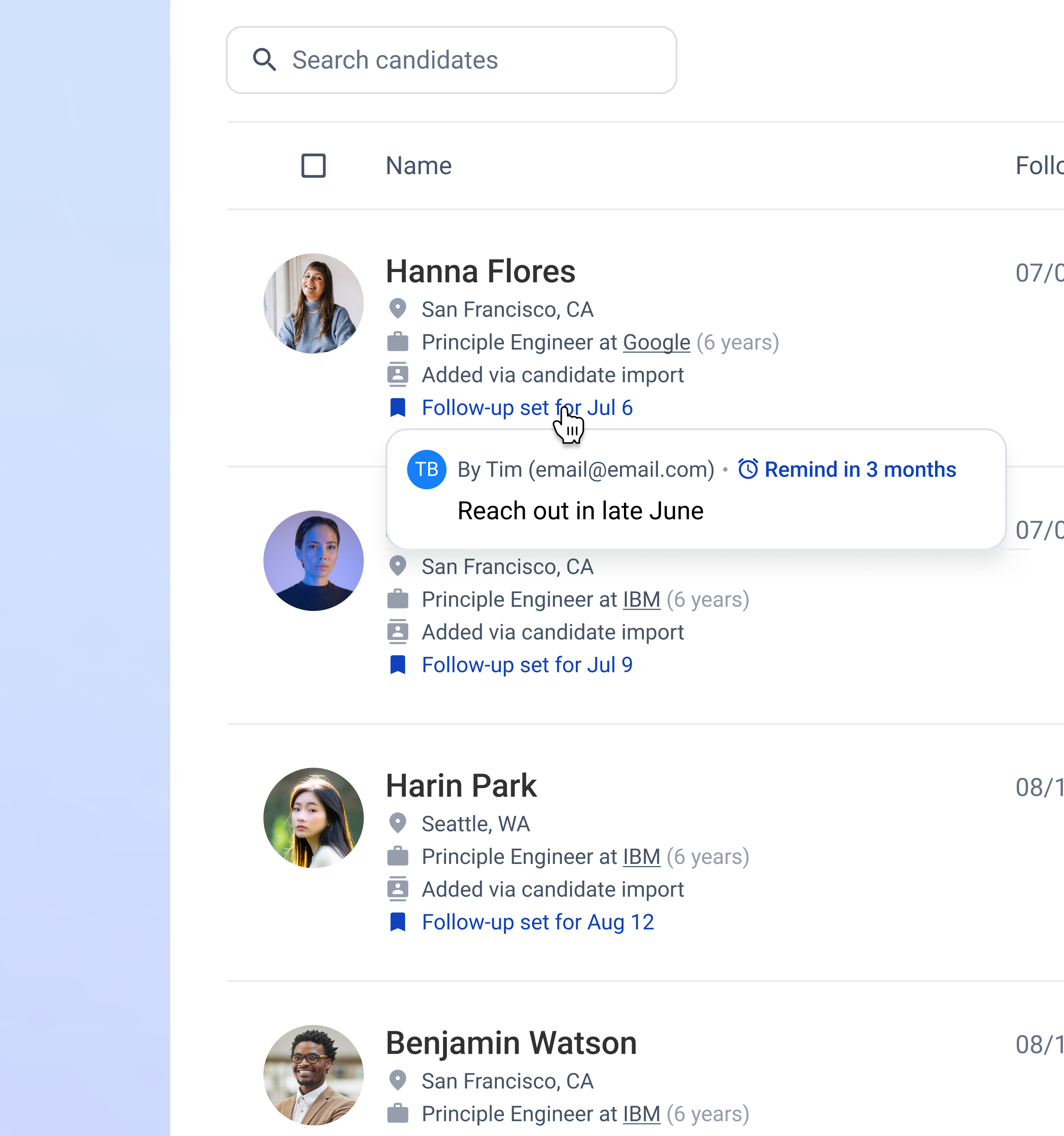
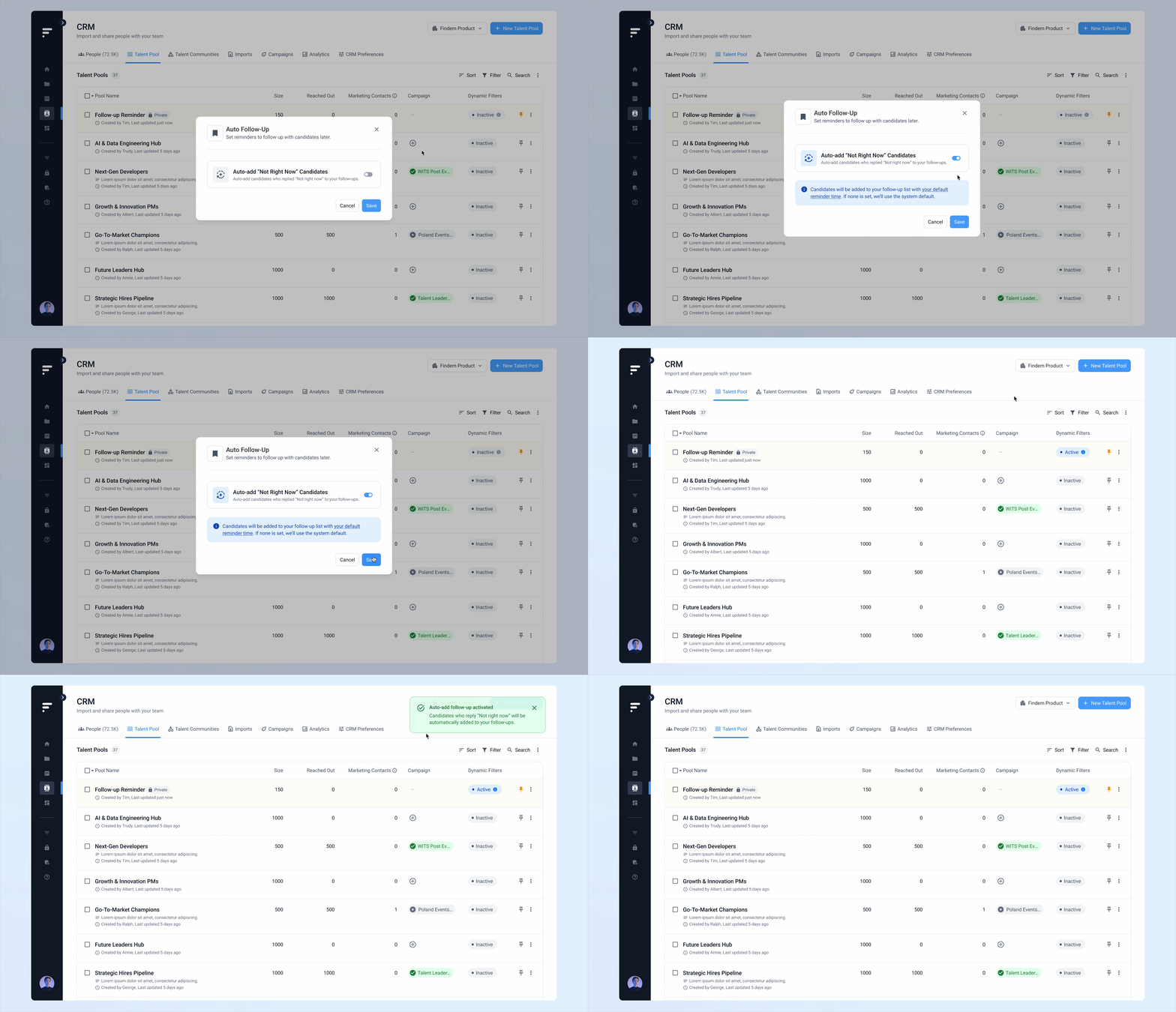
We designed Smart Follow-Ups so users don't have to rely on memory to stay in touch. Users can set reminders manually or let the system suggest them automatically based on responses.
When a contact replies "Not right now," the system detects that and suggests a follow-up when the timing feels more appropriate.
Follow-ups stay consistent without adding extra work, so users can focus on connecting with the right people at the right time.
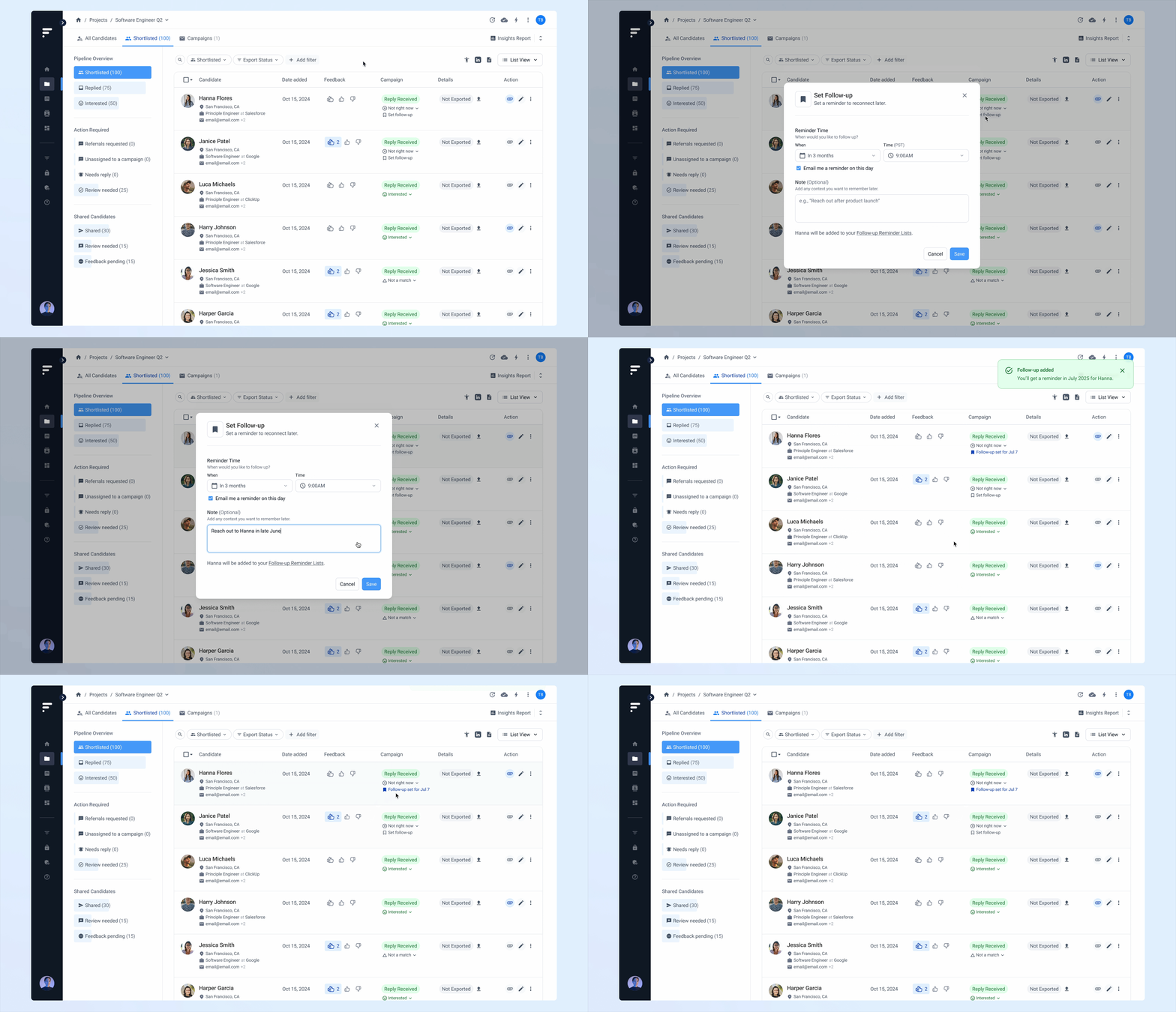
Set a follow-up reminder manually:
Auto-add people who replied “Not right now” to follow-ups:
Results & impact
We launched CRM 2.0 in May 2025, addressing long-standing issues in traditional CRMs: manual updates, disorganized contact lists, and missed follow-ups.
By automating pipeline management, enabling real-time updates, and supporting targeted outreach at scale, we made it easier for users to build and maintain strong relationships.
17% faster time to outreach
Users spent less time organizing and more time engaging.41% more first interested responses
Proactive, personalized outreach led to higher engagement rates.80% higher reply rates from warm contacts
Keeping relationships active made people more responsive when opportunities arose.
What we heard:
“Findem’s CRM will have a massive impact with my team. We’ll be able to save so much time with automations, bulk actions, and the integration with our ATS,”
“With dynamic talent pools, our engagement will be seamless. We’ll never lose track of great candidates again.”
– Lindsey Roberts, recruiting program manager for Box
Reflection
Automation works best when it removes effort without removing control. The features that drove the strongest results: dynamic pools, precision targeting, and smart follow-ups. They all shared one thing in common. They handled the repetitive work while letting users decide what mattered.
CRM 1.0 gave users a place to manage contacts. CRM 2.0 shifted the product toward keeping relationships active on their behalf. That distinction, from passive storage to proactive engagement, shaped every design decision.